
What Is an AI Receptionist and How Does It Work?
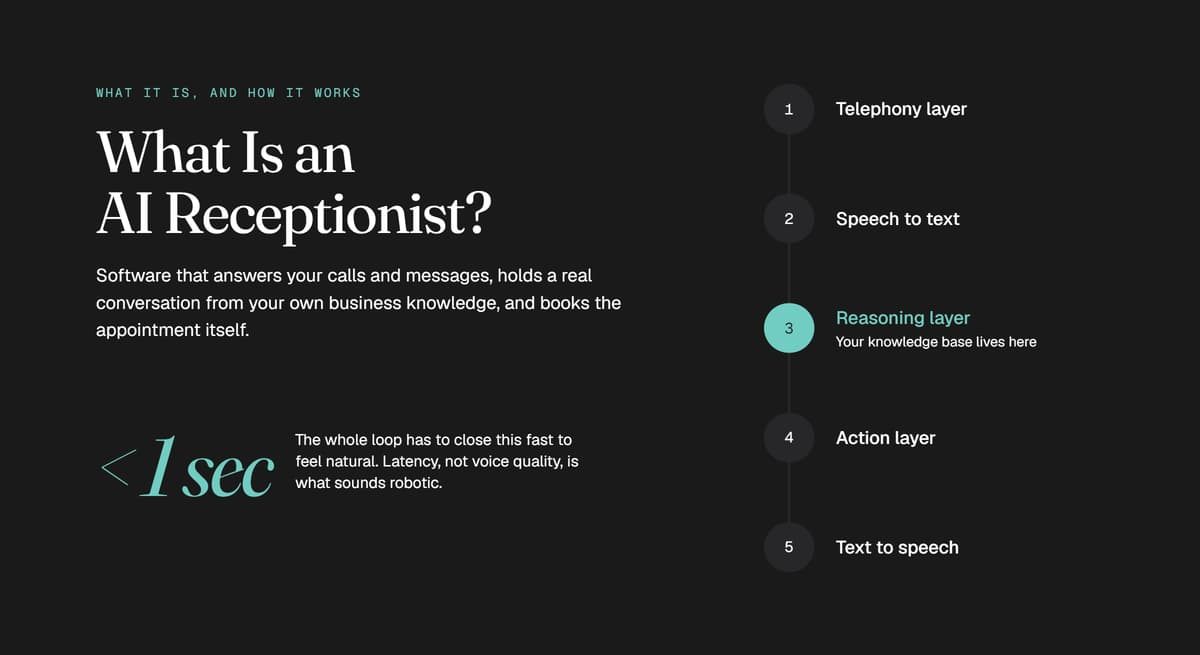
An AI receptionist is software that answers your business calls and messages using conversational AI. It understands natural speech, answers questions using your own business information, books appointments directly into your live calendar, and hands off to a human when a conversation needs one, 24 hours a day.
That definition is short enough to be useful and vague enough to hide a lot. This guide unpacks what actually happens on the call, how the technology works underneath, what an AI receptionist can genuinely do, and where it still falls short.
AI Receptionist Meaning: What It Is and What It Is Not
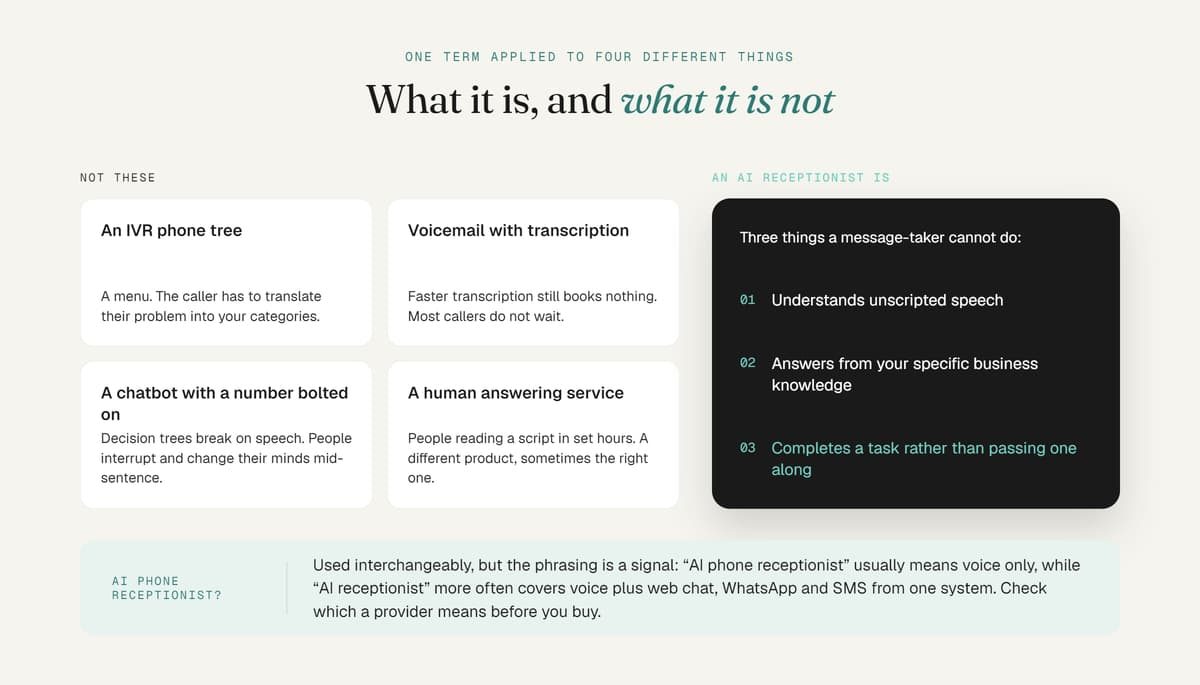
The term gets applied to four different things, only one of which is an AI receptionist.
It is not an IVR phone tree. "Press 1 for sales" is a menu. It cannot answer a question it was not programmed for, and the caller has to translate their problem into your categories. An AI receptionist takes the caller's own words.
It is not voicemail with transcription. Transcribing a message faster does not book an appointment. The caller still waits for a callback, and most of them do not wait. They call the next business.
It is not a website chatbot with a phone number bolted on. Text chatbots follow decision trees. Voice conversation is messier: people interrupt, backtrack, mumble, and change their minds mid-sentence.
It is not a human answering service. A traditional answering service employs people who read from a script during set hours and take messages. That is a different product with different economics, and sometimes it is the right one.
An AI receptionist, properly defined, does three things a message-taker cannot: it understands unscripted speech, it answers from your specific business knowledge, and it completes a task rather than passing one along.
What about an AI phone receptionist? In practice the terms are used interchangeably. "AI phone receptionist" usually signals voice calls only, while "AI receptionist" more often covers voice plus web chat, WhatsApp and SMS from one system. Worth checking which one a provider means before you buy, because the gap between the two is significant.
How Does an AI Receptionist Work?
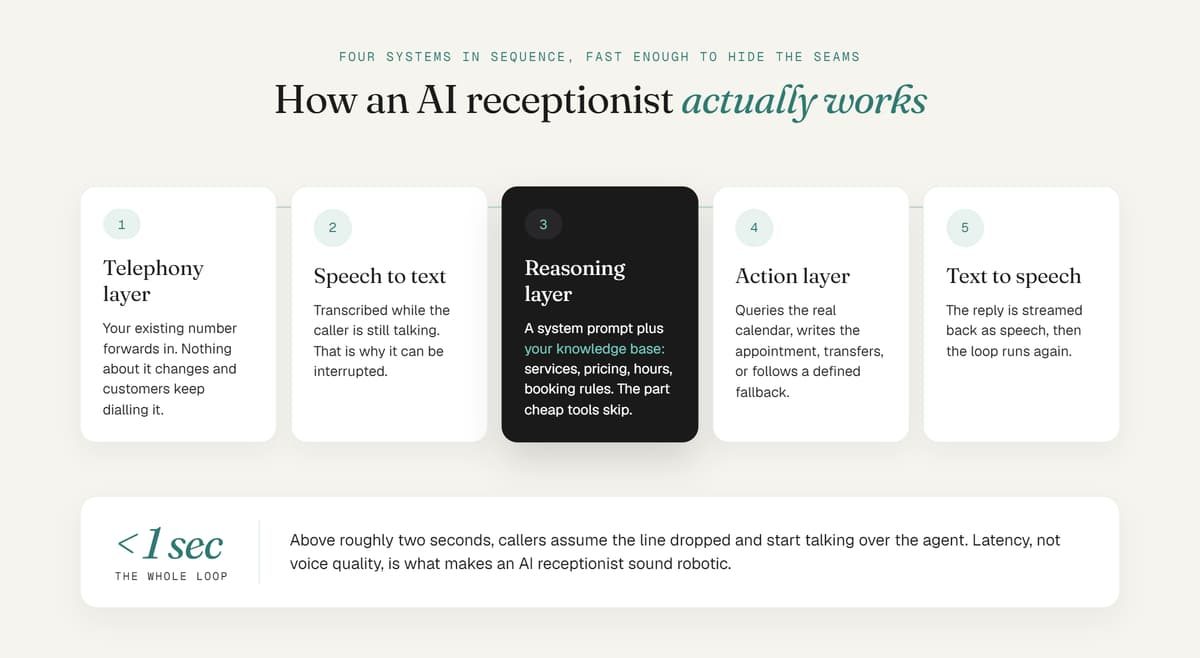
Under the hood, an AI receptionist is four systems working in sequence, fast enough that the caller never notices the seams.
1. Telephony layer. Your existing business number forwards to the platform. Nothing about your number changes and customers keep dialling what they already have. The platform picks up, usually within one or two seconds, and opens a live audio stream.
2. Speech-to-text. The caller's audio is transcribed continuously as they speak, not after they finish. This is why a good agent can be interrupted: it is already processing what you said while you are still saying it.
3. The reasoning layer. A large language model receives the transcript along with two other things: a system prompt defining how it should behave, and your business knowledge base. That knowledge base is the part that matters most, and it is the part cheap tools skip. It holds your services, pricing, hours, booking rules, staff names, insurance policies, and answers to the questions your front desk actually gets asked. The model retrieves the relevant pieces and decides what to say and what action to take.
4. Action layer. If the caller wants to book, the system queries your real calendar for open slots, offers valid times, writes the appointment, and triggers confirmations. If the caller needs a human, it initiates a transfer. If the caller asked something outside its knowledge, it follows a defined fallback rather than guessing.
5. Text-to-speech. The response is converted to speech and streamed back. Modern neural voices are convincingly human in normal conversation.
The whole loop needs to close in under a second to feel natural. Above roughly two seconds, callers assume the line dropped and start talking over the agent. Latency, not voice quality, is what makes an AI receptionist sound robotic in 2026.
The AI Receptionist Workflow, Call by Call
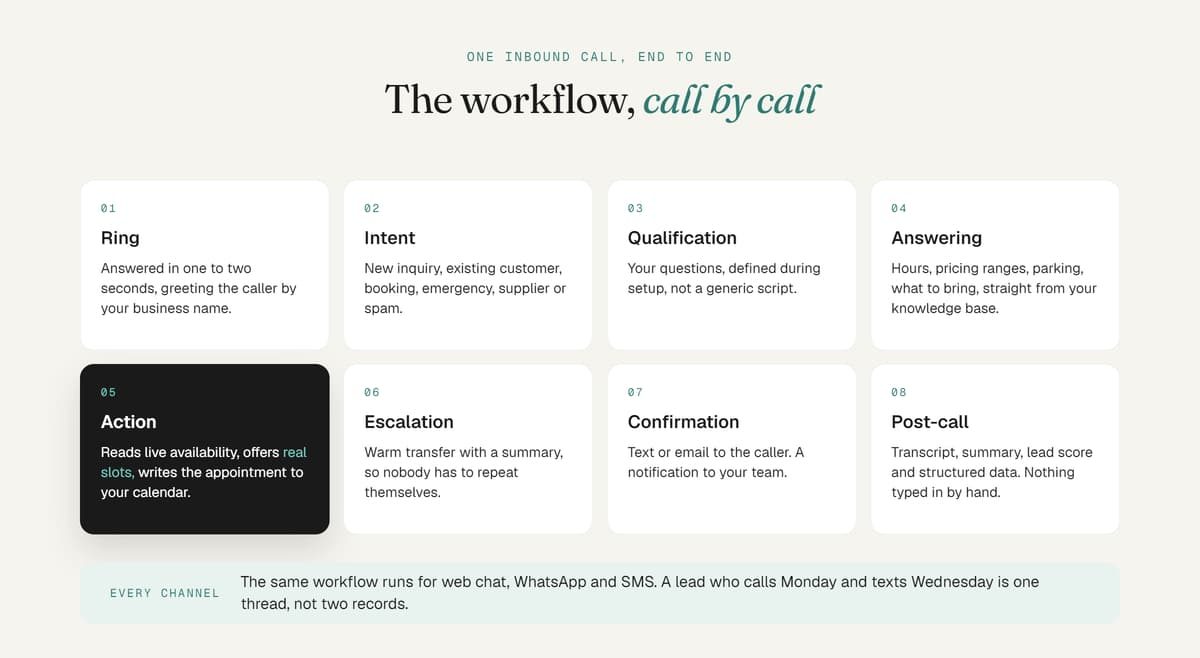
Here is what a single inbound call looks like end to end.
Ring. Your forwarded number routes to the AI. It answers in one to two seconds, greeting the caller by your business name in your configured tone.
Intent. The caller says why they are calling. The agent identifies which of your defined scenarios this is: new inquiry, existing customer, booking request, emergency, supplier, or spam.
Qualification. For a new inquiry, the agent asks the questions your team would ask. What service, what timeline, what location, have they been here before. These are your questions, defined during setup, not a generic script.
Answering. Any questions the caller has get answered from your knowledge base. Hours, pricing ranges, parking, insurance accepted, what to bring.
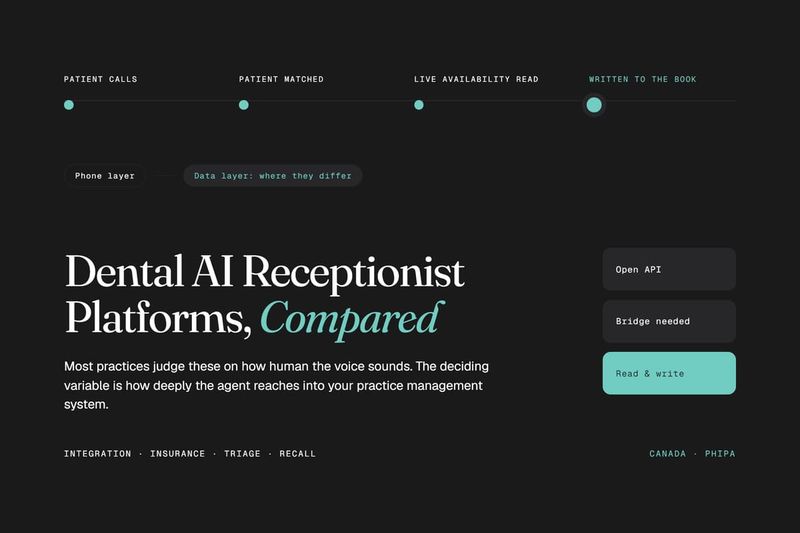
Action. Most commonly, booking. The agent reads live availability, offers real slots, confirms the appointment, and writes it to your calendar. Alternatively it captures a structured lead record, or transfers.
Escalation. If the conversation hits a complexity threshold or the caller asks for a person, the agent warm-transfers with a summary so nobody repeats themselves. If no one is available, it takes a callback request and flags priority.
Confirmation. The caller gets a text or email confirmation. Your team gets a notification.
Post-call. A transcript, a summary, a lead score, and any structured data captured all land in your dashboard or CRM. Nothing gets typed in by hand.
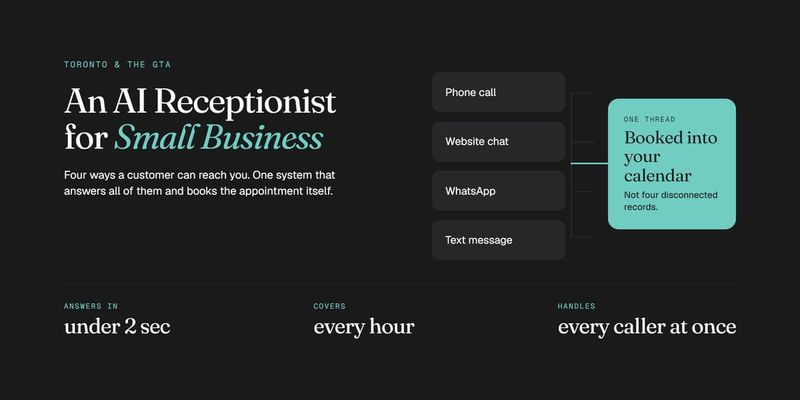
The same workflow runs for a website chat, a WhatsApp message or a text. On a well-built platform, a lead who calls Monday and texts Wednesday is one thread, not two disconnected records.
What Does an AI Receptionist Do? Core Features
Feature sets vary widely across providers, but these are the capabilities that define a complete AI receptionist:
Multi-channel answering. Voice, website chat, WhatsApp and SMS from one system. Many tools are voice only, which leaves your other channels unanswered.
Live calendar booking. Reads real availability and writes the appointment. Anything that only collects a callback request is a message-taker with better marketing.
Custom knowledge base. Trained on your actual services, pricing and policies rather than a generic template.
Lead qualification and scoring. Asks your qualifying questions, then ranks the lead so your team knows who to call first.
Spam and solicitor filtering. Blocks robodialers and sales calls before they reach anyone.
Human warm transfer. Hands off with context when needed.
Missed-call text-back. Any call that does slip through triggers an automatic text within seconds.
Automated follow-up. Re-engages leads who inquired but did not book.
Multilingual handling. Answers in the caller's language, ideally switching mid-conversation.
Unified inbox and reporting. Every conversation, transcript and outcome in one place.
CRM and software integration. Native connections to the tools you already run, so data is not re-entered.
Simultaneous calls. Unlimited concurrent conversations, which is the capability no single human front desk can match.
What an AI Receptionist Cannot Do
This section exists because most vendor pages leave it out, and buyer disappointment almost always traces back to one of these.
It cannot handle a genuinely emotional conversation well. A distressed patient, a bereaved family, an angry customer three complaints deep. These need a person, and your escalation rules should route them there immediately.
It cannot exercise judgement outside its knowledge base. If a caller asks something nobody anticipated, a well-configured agent says so and escalates. A badly configured one guesses, which is worse than silence.
It cannot fix a broken process. If your calendar is a mess or nobody follows up on flagged leads, an AI receptionist will book into the mess faster.
It cannot give professional advice. No medical guidance, no legal opinion, no diagnosis. It gathers information and books the consultation where the advice happens.
It does not run itself forever. Your services and pricing change. An agent configured once and never revisited drifts out of date within months. This is the single most common failure mode in the category.
It will not satisfy every caller. Some people react badly to realising they are speaking with AI. A good agent discloses honestly when asked and stays useful. It cannot make someone who wanted a human feel like they got one.
AI Receptionist Benefits
No missed calls. The core one. A call that reaches voicemail is usually a call that goes to a competitor, because callers who cannot get through the first time rarely try again.
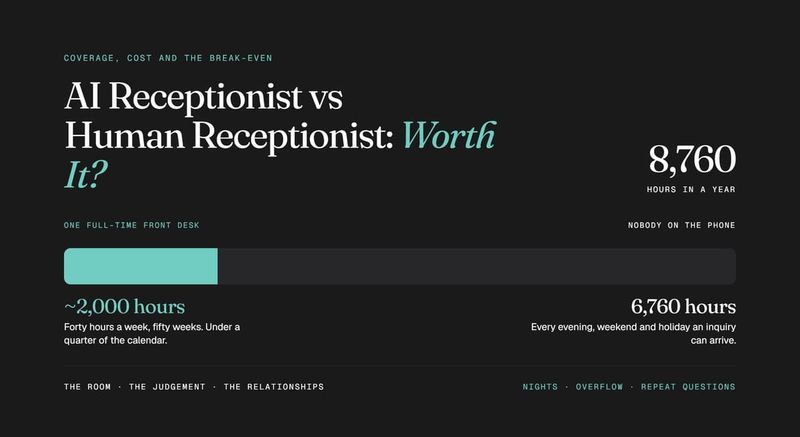
Coverage outside business hours. Evenings, weekends and holidays are when a meaningful share of inquiries arrive and when almost nobody is answering.
Instant response. Speed of response correlates directly with conversion. Answering in two seconds rather than two hours changes outcomes.
Unlimited simultaneous capacity. A busy morning does not create a queue. Every caller is answered at once.
Predictable cost. A flat monthly rate against a receptionist salary that typically runs $42,000 to $55,000 a year in Toronto before benefits, for coverage that still ends in the late afternoon.
Consistency. The agent asks the same qualifying questions on the hundredth call as the first, and never has an off day.
Freed-up staff. Your team stops being interrupted by routine calls and stays on the work that requires them.
Structured data on every conversation. You find out how many calls you get, when, about what, and how many convert. Most businesses have never had that visibility.
AI Receptionist Use Cases
The clearest way to think about deployment is by call type rather than by industry.
After-hours coverage. The most common starting point. Your team answers during the day, the AI covers nights and weekends. Low risk, immediate return, and the easiest deployment to justify internally.
Overflow during peak periods. The AI picks up whatever your team cannot. Nobody waits on hold. Common in restaurants at dinner service and in trades during seasonal spikes.
Emergency triage and dispatch. The agent identifies urgency from the caller's description, routes genuine emergencies to an on-call technician, and books everything else normally. This is the difference between answering a burst-pipe call at 2am and losing that customer permanently.
New lead qualification. Every inbound inquiry gets the same qualifying questions and a score before anyone on your team spends time on it. Particularly valuable where inquiry quality varies wildly, like law firms fielding calls across multiple practice areas.
Appointment management. Booking, rescheduling, cancellations, and filling last-minute openings from a waitlist without outbound calls.
Multilingual intake. In markets like the GTA, a caller who is more comfortable in another language often will not call twice. An agent that switches mid-conversation captures inquiries that would otherwise disappear.
Spam and solicitor screening. Filtering robodialers and cold sales calls so your team never sees them.
Full front desk replacement. Solo operators and single-practitioner businesses sometimes run the AI as their only front desk. Viable when call complexity is low and escalation paths are well defined.
For how these translate into specific booking flows by industry, see the AI receptionist platform.
What Data Does an AI Receptionist Collect?
Any system that takes a caller's name, number, reason for calling or health information is handling regulated personal data, under PIPEDA in Canada and applicable state law in the US.
Three things to confirm with any provider before you sign:
Disclosure. Does the agent tell callers it is AI when asked, honestly and clearly?
Encryption and retention. Is data encrypted in transit and at rest, and how long are transcripts and recordings kept?
Collection limits. Does the intake flow avoid capturing protected health information or privileged detail in channels that are not built for it?
A provider who cannot answer these specifically is telling you something useful.
Is an AI Receptionist Right for Your Business?
The strongest signals that it is:
- Calls go to voicemail regularly, especially outside business hours
- A missed inquiry has real value attached, like an appointment, a consult or a job
- Your team is interrupted constantly by questions that have the same answer every time
- You get inquiries in more than one language
- Call volume is uneven, with quiet stretches and unmanageable peaks
- You have no idea how many calls you actually receive
The signals that it is not, or not yet:
- Very low call volume where voicemail costs you nothing meaningful
- Every conversation is genuinely complex, high-stakes and unique
- Your booking, calendar or follow-up process is currently broken
If you recognise your business in the first list, the next step is comparing providers, and the tiers differ more than the marketing suggests. Start with our comparison of the best AI receptionist software in 2026, or get in touch and we will map it against your actual call volume first.
Frequently Asked Questions
What is an AI receptionist in simple terms? Software that answers your business phone and messages, holds a real conversation using your business information, books appointments into your calendar, and passes the call to a person when it needs to. It runs 24 hours a day and handles unlimited calls at once.
How does an AI receptionist work technically? Your number forwards to the platform. The caller's speech is transcribed live, a language model interprets it against your business knowledge base, the system takes an action such as checking your calendar and booking a slot, and the response is converted back to speech. The full loop closes in under a second.
What is the difference between an AI receptionist and an IVR? An IVR is a fixed menu that requires the caller to fit their problem into your categories. An AI receptionist understands unscripted natural speech, answers specific questions, and completes the task rather than routing the caller.
Does an AI receptionist replace my phone number? No. Setup forwards your existing number to the AI system, so customers keep dialling the number they already know.
Can an AI receptionist book appointments on its own? Yes, if it integrates with your live calendar. It reads real availability, offers valid slots, writes the appointment and sends confirmations. Tools that only capture a callback request are not doing this, so confirm which one you are buying.
How long does an AI receptionist take to set up? Days rather than weeks on a managed platform, most of which is spent building and reviewing the knowledge base. Self-serve tools go live in under an hour, with correspondingly less depth.
Does the AI tell callers it is not human? It should when asked directly, and honest disclosure works better than a system that tries to pass as human and gets caught. Some jurisdictions and industries also require disclosure, so confirm your provider's default behaviour.
What happens if the AI cannot answer something? On a properly configured system it follows a defined fallback: a warm transfer to your team, a notification, or a callback request. It should never invent an answer, and the escalation path should be agreed before it takes a live call.
Can it handle several calls at the same time? Yes, and this is the clearest structural advantage over a human front desk. It holds unlimited simultaneous conversations across voice, chat, WhatsApp and SMS, so a busy period never produces a queue.
Discussion