
How to Measure SEO ROI: Formula, Tracking and Examples
Most SEO reports show rankings going up and traffic lines going right. Very few show what a business owner actually wants to see: how many dollars came back for every dollar spent. That gap is why SEO budgets get cut in slow quarters, even when the channel is working.
Measuring SEO ROI is not complicated math. The hard part is the plumbing underneath it: knowing your full costs, tracking every lead (including phone calls and Map Pack actions), putting a dollar value on those leads, and following them through to closed revenue. This guide walks through the formula, two worked examples, and the exact tracking setup we use when we run SEO campaigns in Toronto and Local SEO for GTA businesses.
What SEO ROI Actually Measures
SEO ROI (return on investment) compares the money your organic search presence brings in against the money it costs to build and maintain it. Rankings, impressions and sessions are inputs. ROI is the output.
Three details separate a useful ROI number from a flattering one:
- Organic revenue should be incremental. If your site already brought in organic leads before the campaign started, that baseline is not new return. Measure the lift above it.
- Profit is more honest than revenue. A $10,000 job with a 40% margin returns $4,000, not $10,000. Revenue-based ROI looks great in a slide deck and misleads everyone who makes budget decisions from it.
- Organic search is no longer only the blue links. Calls from your Google Business Profile, direction requests from the Map Pack, and visitors referred by ChatGPT or Google AI Mode all come from search. If you ignore them, your ROI will be understated, especially for local businesses. That is why AI Search SEO and Map Pack work belong in the same measurement plan as traditional rankings.
The SEO ROI Formula
The standard formula is:
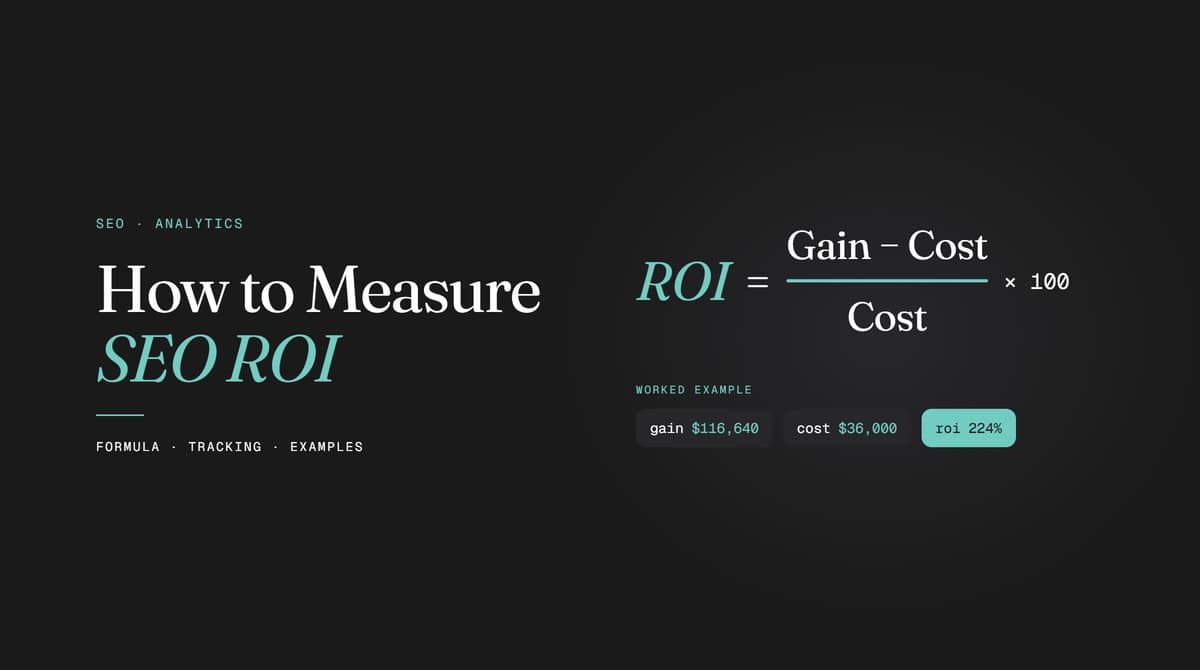
SEO ROI (%) = (Gain from SEO − Cost of SEO) ÷ Cost of SEO × 100
What you put in "Gain from SEO" changes the answer a lot, so it is worth running two versions:
- Revenue ROI: uses incremental organic revenue as the gain. Quick to calculate, easy to compare with ad platforms.
- Profit ROI: uses incremental gross profit (revenue × gross margin) as the gain. This is the number that tells you whether SEO is actually paying for itself.
A third number worth tracking is the payback period: the month in which cumulative gross profit from organic search passes cumulative SEO spend. For most small and mid-sized businesses, this is the figure that answers "is this working yet?" better than any percentage. In our client work, we show all three side by side on the Patrick OS live dashboard, so nobody has to rebuild the spreadsheet each month.
Worked Example: A Local Service Business
Here is an illustrative example for a GTA home services company (the numbers are made up, the method is the one we use):
- SEO retainer: $2,500 per month
- Internal time (owner approving content, answering review requests): $400 per month
- Tools and call tracking: $100 per month
- Total cost: $3,000 per month, or $36,000 per year
Before the campaign, organic search (website forms, calls and Google Business Profile calls combined) produced about 6 leads a month. Twelve months in, it produces 24. That is 18 incremental leads per month.
- Close rate on organic leads: 30%, so 5.4 new jobs per month, or about 65 jobs per year
- Average job value: $1,800
- Incremental revenue: 64.8 × $1,800 = $116,640
- Gross margin: 45%, so incremental gross profit = $52,488
Revenue ROI = ($116,640 − $36,000) ÷ $36,000 × 100 = 224%
Profit ROI = ($52,488 − $36,000) ÷ $36,000 × 100 = 45.8%
Both are correct. They answer different questions. The 224% tells you SEO is producing plenty of sales. The 45.8% tells you that after paying for the work and the jobs themselves, the business kept about $1.46 for every $1 it put into SEO in year one. Year two usually looks much better, because the rankings and Map Pack positions stay while the heavy setup costs drop off.
Worked Example: An Online Store
E-commerce is simpler because GA4 records the sale value directly.
- SEO cost: $3,500 per month, or $42,000 per year
- Organic revenue before the campaign: $60,000 per year
- Organic revenue after 12 months: $270,000 per year
- Incremental organic revenue: $210,000
- Gross margin: 40%, so incremental gross profit = $84,000
Revenue ROI = ($210,000 − $42,000) ÷ $42,000 × 100 = 400%
Profit ROI = ($84,000 − $42,000) ÷ $42,000 × 100 = 100%
Patrick OS shows cost, organic leads, revenue and payback period on one live dashboard, updated every month.
How to Measure SEO ROI in 7 Steps
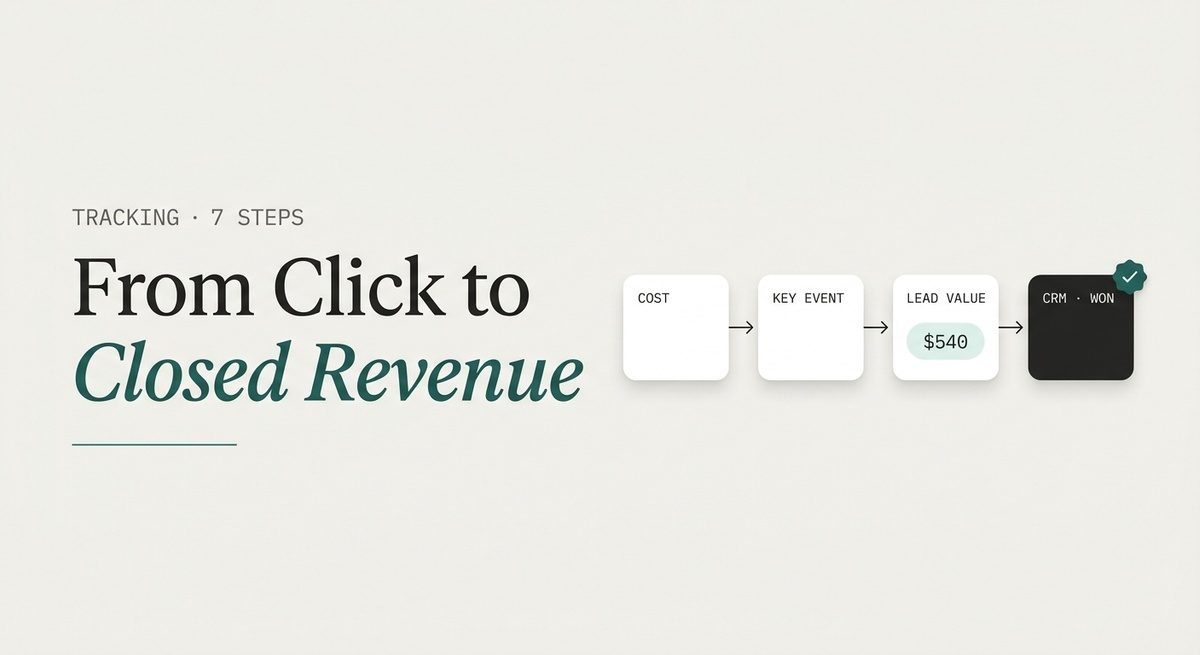
The formula only works if both sides of it are accurate. These seven steps build the data you need.
Step 1: Add Up the Full Cost of SEO
The most common mistake is counting only the agency invoice. The real cost includes:
- Agency retainer or consultant fees
- Content production (writers, photographers, video)
- Developer time for technical fixes and page builds
- Link building, digital PR and local citation costs
- Software: rank tracking, call tracking, SEO tools (a share of the cost if other teams use them)
- Internal staff time spent on SEO, at their hourly rate
Leaving out internal costs inflates ROI and makes the channel look cheaper than it is. When finance eventually notices, trust in every SEO number goes with it.
Step 2: Set Up Key Events in GA4
In Google Analytics 4, the actions you care about are called key events (Google renamed "conversions" to "key events" in 2024). Mark every revenue-related action as a key event:
- Purchases, with the order value passed in (e-commerce)
- Quote and contact form submissions
- Booking completions
- Clicks on phone numbers and email links
Then segment by the Organic Search channel group. Test each key event yourself before you trust the numbers. A form that fires twice or not at all will quietly break your ROI for months.
Step 3: Track Phone Calls and Google Business Profile Actions
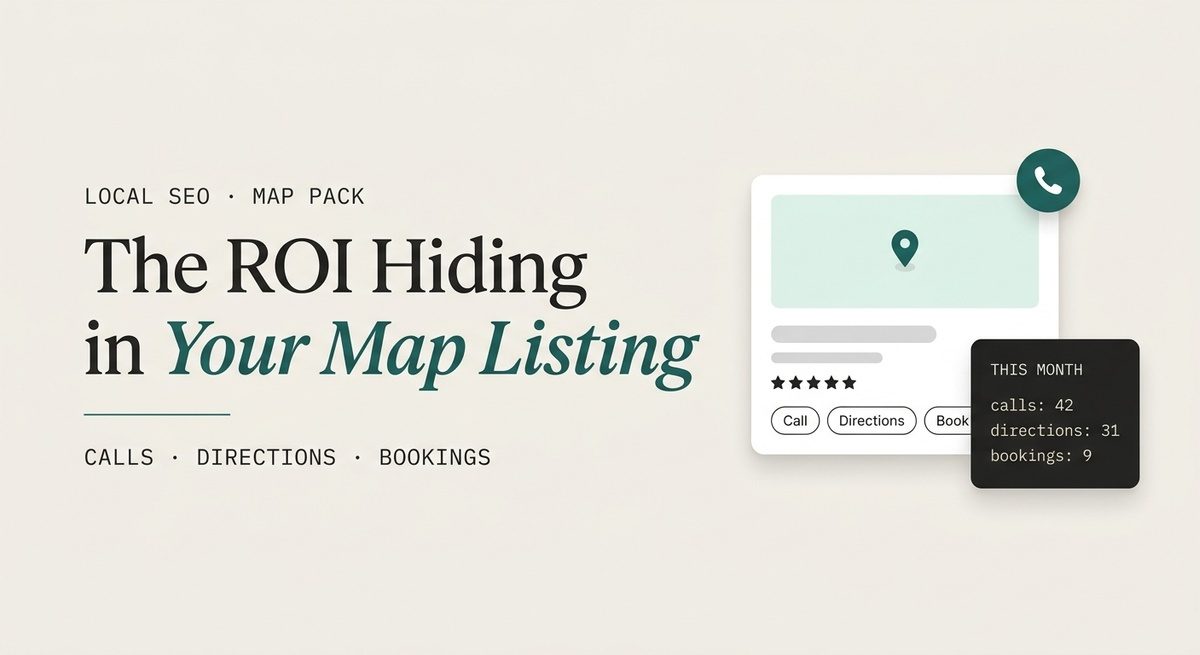
For local businesses, this is where most ROI is hiding. A large share of Map Pack customers never visit the website. They tap "Call" in your Google Business Profile, get directions, or book straight from the listing. GA4 does not see any of that.
To capture it:
- Pull calls, website clicks, direction requests and bookings from the Performance section of your Google Business Profile every month.
- Add a UTM tag to the website link on your profile (for example, utm_source=google&utm_medium=organic&utm_campaign=gbp) so GBP visits are separated from regular organic visits in GA4.
- Use a call tracking number on the website, with your main number kept as the primary number on the profile so your NAP stays consistent across citations.
- Record your average Map Pack position for your core keywords, across a grid of locations, not just from your office address.
If you are paying for Map Pack ranking or Google Business Profile management, these numbers are the gain side of that investment. Without them, local SEO will always look worse on paper than it performs in real life.
Find out which calls and Map Pack actions your current reports are missing. Free, and back in 2 business days.
Step 4: Assign a Dollar Value to Every Lead
Service businesses do not have a checkout, so each lead needs a value. The formula is:
Lead value = Close rate × Average customer value
Using the service example above: 30% × $1,800 = $540 per organic lead. If customers come back or sign recurring contracts, use lifetime value instead of a single job value. A dental patient, an accounting client or a property management contract is worth far more than their first invoice.
Calculate close rates for organic leads separately if you can. Organic leads often close at a different rate than paid or referral leads, and using a blended rate can push your ROI in either direction.
Step 5: Connect Leads to Closed Revenue in Your CRM
Lead value is an estimate. Closed revenue is a fact. To get there, every lead needs its original source stored in your CRM at the moment it comes in, and that field needs to survive until the deal closes.
- Pass the UTM source and landing page into hidden form fields.
- Tag every tracked call with its source.
- Train whoever answers the phone to ask "How did you find us?" and log the answer.
- Mark deals as won or lost, with the actual invoice value.
Once this is in place, you can stop estimating and report actual revenue from organic search. It also shows lead quality: if organic traffic is up but won deals are flat, you are attracting the wrong searches.
Step 6: Choose the Right Measurement Window
Measuring SEO ROI over 30 days almost always produces a negative number, because the first months are heavy on setup and light on results. Use these windows instead:
- Monthly: leading indicators (rankings, Map Pack position, non-branded clicks, leads).
- Quarterly: lead volume, lead value and cost per organic lead.
- Every 6 to 12 months: full ROI and payback period.
For local campaigns, movement often starts in the first 30 to 60 days, with meaningful Map Pack gains around month three, depending on competition. Broader organic campaigns in competitive industries usually need 6 to 12 months before ROI turns clearly positive.
Step 7: Run the Numbers and Report Them the Same Way Every Time
Use the same cost categories, the same lead value, the same attribution setting and the same date ranges every period. If the method changes each quarter, nobody can tell whether SEO improved or the spreadsheet did. A good report puts total cost, incremental revenue, gross profit, ROI and payback period on one page, above any ranking charts.
Leading Indicators to Watch Before Revenue Arrives
In the first few months, ROI is not the right scorecard yet. These signals tell you whether the investment is heading in the right direction:
- Non-branded organic clicks. People who found you without already knowing your name. This is the clearest sign SEO is bringing in new demand.
- Rankings for commercial pages. Service pages, category pages and location pages matter more than blog posts for revenue.
- Map Pack visibility across your service area.
- Organic lead volume and cost per organic lead.
- AI citations. Whether ChatGPT, Perplexity, Gemini or Google AI Overviews mention or cite your business for your core services.
Measuring ROI from AI Search and Zero-Click Results
AI answers have changed what "organic" means. A customer might read an AI Overview that names your business, then search your brand directly a day later, or call you without ever clicking a link. Traditional ROI reports miss this, so add three things to your measurement:
- AI referral traffic. In GA4, build a custom channel group for sources like chatgpt.com, perplexity.ai, gemini.google.com and copilot.microsoft.com, so AI visits stop hiding inside "Referral."
- Branded search growth. A rising number of branded searches is often the downstream effect of AI visibility and Map Pack exposure.
- A "How did you hear about us?" field with "ChatGPT / AI assistant" as an option. Self-reported source is imperfect, but it catches journeys that no analytics tool can see.
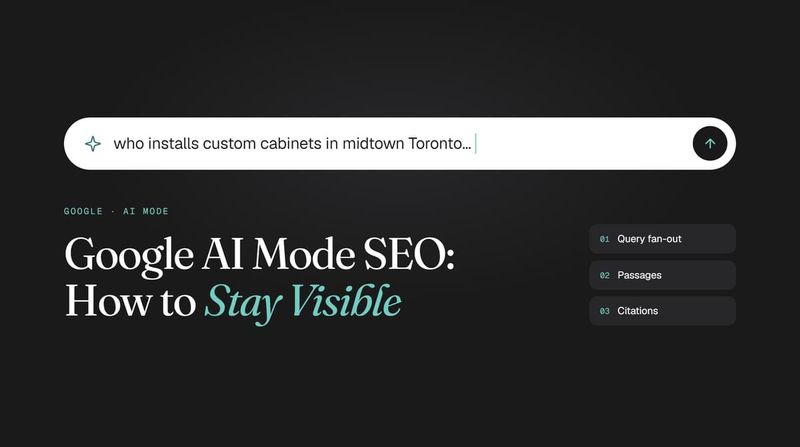
We cover the measurement side of AI answers in more detail in our guide to Google AI Mode SEO.
What Is a Good SEO ROI?
There is no universal benchmark, and any agency that guarantees a specific ROI percentage is guessing. What makes ROI higher or lower is predictable, though:
- Customer value. Law firms, dentists, contractors and B2B companies can see strong ROI from a small number of leads because each client is worth thousands.
- Margins. Low-margin e-commerce needs much more organic revenue to reach the same profit ROI.
- Competition. A plumber in downtown Toronto faces a very different Map Pack than a plumber in a smaller town.
- Site age and authority. Mature sites compound faster because new pages rank on the strength of existing ones.
- Conversion rate. Doubling your website conversion rate doubles SEO ROI without a single new ranking.
A practical target: profit ROI above 0% within the first year for local campaigns, a payback period under 12 to 18 months, and a clear upward trend after that. Compare it with your other channels, not with a number from someone else's industry.
Why Most SEO ROI Reports Get It Wrong
Even with good tracking, a few structural problems can distort the numbers.
Attribution Undercounts Organic Search
GA4 gives credit to channels in different ways depending on the report. The standard Traffic Acquisition report credits the last non-direct click, while key event reporting follows the attribution model in your property settings (data-driven by default). GA4 now offers only three models: data-driven, paid and organic last click, and Google paid channels last click. First click, linear, time decay and position-based were retired in 2023, so any guide telling you to use them is out of date.
In practice, a customer who first found you through a blog post and later converted from a Google Ads click may give organic search little or no credit. Check the Conversion Paths report under Advertising in GA4 to see how often organic search appears early in the journey.
Branded Traffic Inflates the Results
People who search your company name would probably have found you anyway. Counting their revenue as SEO return overstates what the campaign produced. Search Console now has a built-in branded queries filter in the Performance report, so you can separate branded and non-branded clicks without writing regex. Google's announcement explains how queries are classified. Build your ROI mainly on non-branded growth.
Leads Are Counted but Never Qualified
Spam, job applicants, vendor pitches and out-of-area requests all trigger form submissions. If they are counted as leads, both lead value and ROI go up on paper while sales stay flat. Filter them out in the CRM before calculating anything.
SEO ROI vs Google Ads ROI
Google Ads ROI is easier to measure because costs are per click and results show within days. The trade-off is that the traffic stops the moment the budget stops, and cost per lead rarely drops over time.
SEO works the other way. Costs are front-loaded, returns are delayed, and attribution is harder. But once a service page or Map Pack position is earned, it keeps producing leads without a toll on every click. That is why the fair comparison is over 12 to 24 months, not one quarter, and why SEO ROI tends to rise each year while ad ROI stays roughly flat.
How to Improve SEO ROI Without Increasing the Budget
ROI has two levers: more gain or less cost. The gain side is usually easier to move:
- Prioritize commercial pages. Service, category and location pages close business. Informational content supports them, not the other way around.
- Fix conversion before chasing traffic. Slow pages, weak calls to action and long forms waste rankings you already have. Faster sites and focused landing page design raise ROI on existing traffic.
- Answer leads faster. Missed calls and slow replies turn paid-for leads into lost jobs. An AI receptionist that picks up every call and books appointments protects the value of each organic lead.
- Build reviews steadily. Reviews lift Map Pack rankings and the click-through rate from the listing at the same time.
- Cut what does not produce. Keywords and pages that bring traffic but no leads for six months should be reworked or dropped.
If you want to see what this looks like with real client numbers, our case studies show the timelines and results across trades, clinics and e-commerce.
Want an SEO plan measured on revenue, not rankings? Month-to-month, no 12-month contract.
FAQ
Frequently asked questions
How Long Does It Take to See ROI from SEO?
Local SEO campaigns often show early movement within 30 to 60 days and meaningful Map Pack gains around month three. Full, positive ROI usually takes 6 to 12 months, and longer in highly competitive industries or for new domains.
Should Branded Traffic Count in SEO ROI?
Track it, but report it separately. Non-branded traffic shows the new customers SEO is winning. Branded traffic growth is a useful signal of overall brand and AI visibility, but it should not carry the ROI calculation.
Can You Measure SEO ROI Without an Online Store?
Yes. Assign a value to each lead using close rate multiplied by average customer value, track calls and Google Business Profile actions, and connect leads to closed deals in your CRM. Service businesses can measure ROI as accurately as online stores once the source of each lead is recorded.
Is "Traffic Value" the Same as SEO ROI?
No. Traffic value estimates what your organic clicks would cost if you bought them as ads. It is a useful way to show the scale of organic visibility, but it is not money in the bank. ROI should be based on revenue and profit.
What Tools Do You Need to Measure SEO ROI?
At a minimum: Google Analytics 4, Google Search Console, your Google Business Profile performance data, call tracking and a CRM that stores lead source. A rank tracker with grid-based Map Pack tracking helps for local businesses. Everything else is a convenience.
Continue reading
Read the latest issues


Discussion